
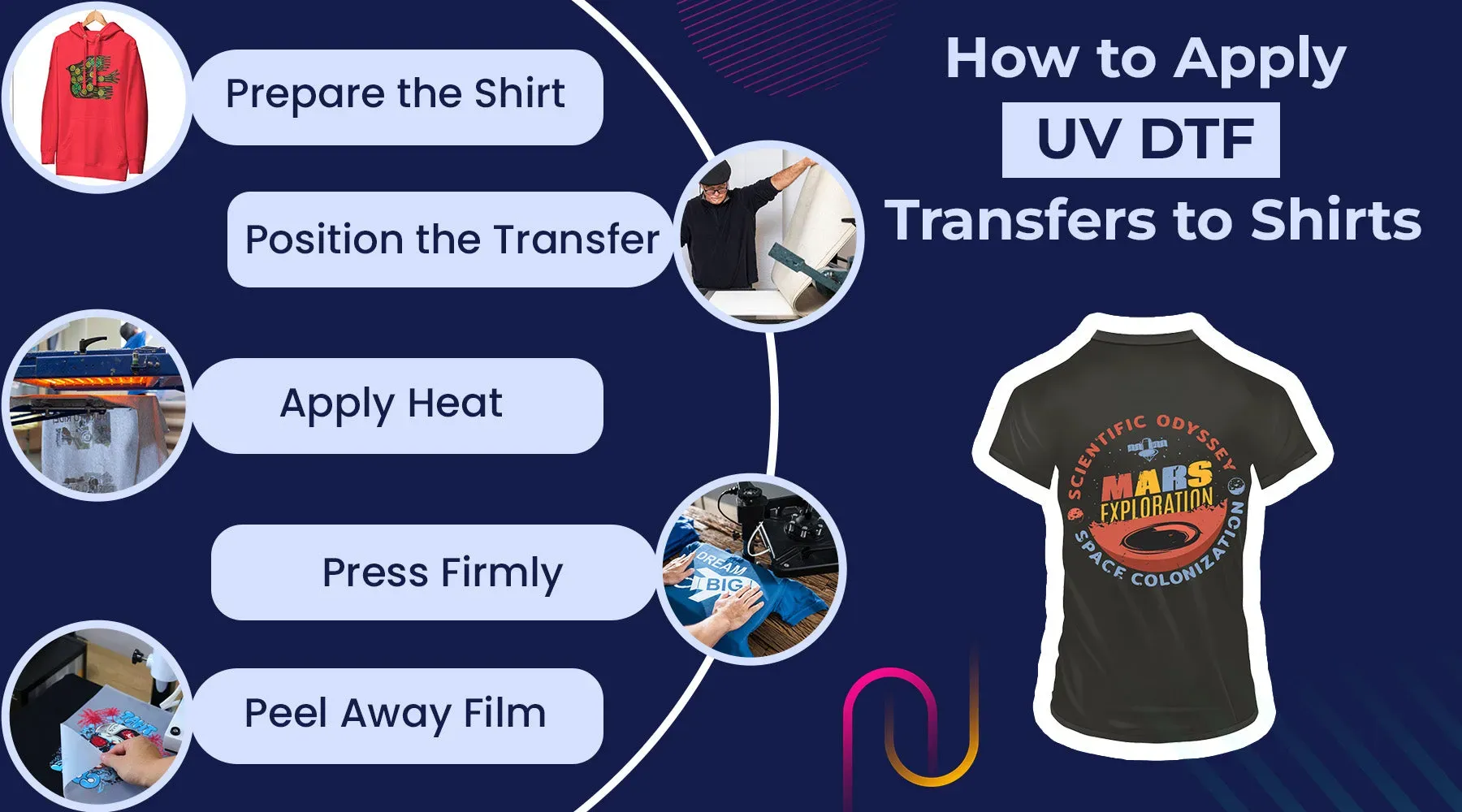
UV DTF transfer opens a vivid world of customization for fabrics and decor, delivering bold color and durable finishes. For newcomers, the workflow blends familiar heat-press steps with UV-curable options to simplify the learning curve today. With a solid DTF transfer setup, you can move from concept to finished transfer with confidence. This concise guide walks you through practical steps, practical checks, and real-world tips to keep projects on track, from fabric selection to final pressing. If you run into issues, rely on a calm, methodical approach—document settings, test on swatches, and adjust time and temperature to suit your materials.
From design to final wearables, this approach can be described as a UV-curable film workflow that pairs printed imagery with heat-applied adhesion on textiles. In beginner terms, you’re looking at a modern direct-to-film method where artwork is transferred from a coated film onto fabrics. As you grow, you’ll benefit from focusing on friendly steps and reliable testing swatches, while keeping an eye on ink compatibility and curing behavior. For those exploring this topic, related guides discuss DTF transfer for beginners and practical craft workflows that align with your equipment and budget. When issues arise, rely on DTF printing troubleshooting to diagnose color shifts, edge misregistration, or incomplete adhesion, and adjust your process accordingly.
Understanding UV DTF transfer: Concept, benefits, and beginner-friendly approach
UV DTF transfer blends the DTF workflow with UV-curable considerations to create vibrant, durable images on textiles. In a standard DTF setup, a design prints onto a clear film with specialized inks, after which a hot-melt powder is applied, cured, and the image is transferred to fabric. The UV-enhanced variant may use UV light to speed curing or improve durability, yielding a soft hand on fabrics like cotton, polyester blends, and blended home textiles.
This approach resonates with beginners because the steps—from design to print to transfer—mirror familiar DIY heat-press projects. It also offers flexibility across fabrics and finishes, and provides clear quality-control checkpoints at each stage before final pressing. With a relatively accessible entry, crafters can start with practical UV DTF transfer workflows and gradually scale up as experience grows, focusing on achievable improvements in color accuracy and edge definition.
Choosing the right UV DTF printing tools for your setup
A reliable UV DTF printing toolkit typically includes a suitable wide-format printer (or a printer configured for DTF workflows), along with DTF film and transfer sheets, hot-melt powder, and a heat press with adjustable temperature and time. When we talk about UV DTF printing tools, we also consider curing lamps or UV units if your process relies on UV-only curing. The goal is a cohesive system that supports accurate color, clean powder adhesion, and durable transfers.
Selecting components with compatibility in mind is essential. Ensure your printer, inks, film, and powders pair well, and that you can calibrate color output for consistent results. The concept of DTF transfer setup becomes useful here: maintain profiles, run test prints on sacrificial sheets, and verify alignment before moving to production. A well-matched toolkit reduces troubleshooting later and improves repeatability.
DTF transfer setup: Designing, printing, and powder curing step-by-step
Begin with a digital file sized for your target area and design using bold, high-contrast elements. For beginners, avoid ultra-fine details and pick colors that print cleanly on your chosen film. If your workflow requires mirroring, enable that in your design software and printer settings to ensure correct final orientation. Selecting an appropriate color profile for your inks and film helps lay a strong foundation for accurate results within the DTF transfer setup.
After printing, apply hot-melt adhesive powder evenly, shake off excess, and cure the powder according to the adhesive instructions. Prepare the garment by ensuring it’s clean and wrinkle-free, then align the film, cover with a protective sheet, and press at the recommended temperature and time (commonly around 160–170°C for 15–20 seconds, depending on fabric and adhesive). These steps—design, print, powder application, and curing—are central to achieving a clean transfer and durable edge quality.
Applying and finishing UV DTF transfers: from pressing to post-press care
During pressing, apply consistent, even pressure and use a clean, wrinkle-free substrate. Preheat the heat press to the recommended temperature and employ silicone sheets or parchment to protect the garment and pressing surface. For many fabrics, a range of 160–170°C is typical, but always verify with your materials and adhesive guidelines.
After pressing, allow the transfer to cool briefly before removing the film to reveal the image. Inspect edges for any lifts or uncured spots, and consider a brief post-press if you’re working with thicker fabrics or dense designs. Routine post-care includes washing inside-out on gentle cycles and avoiding high heat during initial washes to preserve color vibrancy and adhesive integrity over time.
Common issues and DTF printing troubleshooting for beginners
Common issues include faded colors or white halos, powder not adhering properly, and edges that lift during transfer. These symptoms often point to color-profile mismatches, powder distribution problems, or misalignment. Diagnosing the root cause involves checking film cleanliness, printer calibration, and ensuring the garment is dry and wrinkle-free before pressing.
Practical fixes emphasize consistent color management, even powder application, and stable pressing parameters. If you encounter smudging or color bleed, verify ink-film compatibility and curing times, then test with control swatches. Keeping a simple troubleshooting log for each job helps build a reliable workflow and supports ongoing improvements in DTF printing troubleshooting.
Maintenance, care, and creative projects with UV DTF transfer
Maintenance keeps UV DTF printing tools performing reliably. Clean print heads and nozzles as recommended by manufacturers, store film and powder in a cool, dry place, and regularly inspect heat-press components for even heat distribution. Regularly cleaning garments and film surfaces before printing reduces dust and lint that can mar prints, while a workflow log helps reproduce successful results.
As confidence grows, explore creative UV DTF transfer projects such as bold typography on apparel, monochrome designs on caps or tote bags, and customized home textiles. The versatility of UV DTF transfers supports layering textures and experimenting with different fabrics, all while following the DTF transfer setup steps and applying troubleshooting as needed to maintain consistent, high-quality results.
Frequently Asked Questions
What is UV DTF transfer and how does it compare to a traditional DTF transfer for beginners?
UV DTF transfer combines UV-curable curing with the DTF workflow, producing bright, durable images. It differs from traditional DTF transfer in its curing method and potentially faster turnaround, while keeping the familiar steps from design to press—making it approachable for beginners exploring DTF transfer for beginners.
What are the essential UV DTF printing tools I need to start a UV DTF transfer?
Key UV DTF printing tools include a printer configured for DTF inks and films, DTF film and transfer sheets, hot-melt powder, a heat press with adjustable temperature and time, and cleaning and prep supplies. If you use UV-specific curing, add a UV curing unit. Having these UV DTF printing tools ready keeps your workflow smooth.
How do you set up a DTF transfer workflow for UV DTF transfer?
Start with design and sizing, then print settings (mirror option and color profile). After printing, apply the hot-melt powder, cure it as required, and prepare for transfer. Set the heat press to the recommended temperature and time, and ensure the substrate is clean and flat. This is the core of a solid DTF transfer setup for UV DTF transfer.
What are common DTF printing troubleshooting tips for UV DTF transfers?
Common issues include color shifts, faded areas, powder not sticking, edges lifting, and smudges. Resolve by confirming color profiles, cleaning the film surface, ensuring even powder distribution, properly aligning the design, and verifying correct heat-press settings.
How can I improve color vibrancy and edge quality in UV DTF transfer, and what troubleshooting steps should I follow?
Improve vibrancy by calibrating printer color profiles and using calibrated media. Ensure even powder application, pre-press the garment to remove moisture, and apply consistent pressure and dwell time during pressing. If problems appear, refer to DTF printing troubleshooting steps to adjust inks, film, and temperature.
What maintenance practices help ensure reliable UV DTF transfer results over time?
Regularly clean print heads and nozzles, store DTF film and powder in a cool, dry place, and inspect heat press components for even heat distribution. Clean garments and film surfaces before printing, and keep a workflow log to reproduce successful UV DTF transfers.
| Aspect | Key Points |
|---|---|
| What is UV DTF transfer? | Combines DTF workflow with UV-curable considerations. Prints on clear film, applies powder, cures, and transfers to textiles. UV-curable inks/cure can speed up curing and improve durability; results are vibrant with a soft hand on fabrics like cotton and blends. |
| Why it’s appealing for beginners | Clear workflow that mirrors other DIY heat-press methods; flexible with many fabrics and finishes; built-in checkpoints for quality; relatively low entry cost with scalable equipment. |
| Essential tools for UV DTF printing | Printing device (wide-format or DTF-configured printer); DTF film and transfer sheets; Hot-melt powder and curing supplies; Heat press and/or UV curing unit; Cleaning/prep tools; Protective sheets and mats; Calibration aids (ruler/grid) for alignment. |
| DTF transfer setup: preparing the workflow | 1) Design and size for target area; 2) Print settings and mirror if needed; 3) Powder application and curing; 4) Heat pressing parameters (temp around 160–170°C / 320–340°F, light-medium pressure, even time); 5) Substrate readiness (clean, dry, wrinkle-free). |
| Step-by-step: applying a UV DTF transfer | Design and print on UV DTF film; apply powder and cure; align transfer on garment; cover with protective sheet; press at recommended temp/time/pressure (typical 160–170°C for 15–20s); cool and peel; optional post-press for thicker fabrics. |
| Techniques to improve results | Calibrate color profiles; apply powder evenly to avoid halos; pre-press to remove moisture; use consistent pressure; ensure clean alignment and allow adequate dwell time if needed. |
| DTF printing troubleshooting: common issues and fixes | Faded colors/white halos: verify color profiles and powder; Powder not sticking: re-clean/re-cure; Edges lifting: recheck alignment/pressure; Smudging: confirm ink/film compatibility; Film curl: store flat and warm film before use. |
| Maintenance and care for UV DTF transfers | Clean print heads/nozzles per manufacturer; store film/powder dry and cool; inspect heat press for even heat; clean garments/films to reduce lint; keep a workflow log for repeatable results. |
| Creative ideas and projects | Bold typography on apparel; monochrome designs on caps/bags; customized uniforms or giveaways; home décor accents like pillow covers; layered/textured looks by combining different fabrics. |